Jewelry Illustration and Color Rendering Techniques
Learn the basics of jewelry illustration and color rendering techniques used to create realistic jewelry designs, showcase gemstones and metals, and present concepts before production.
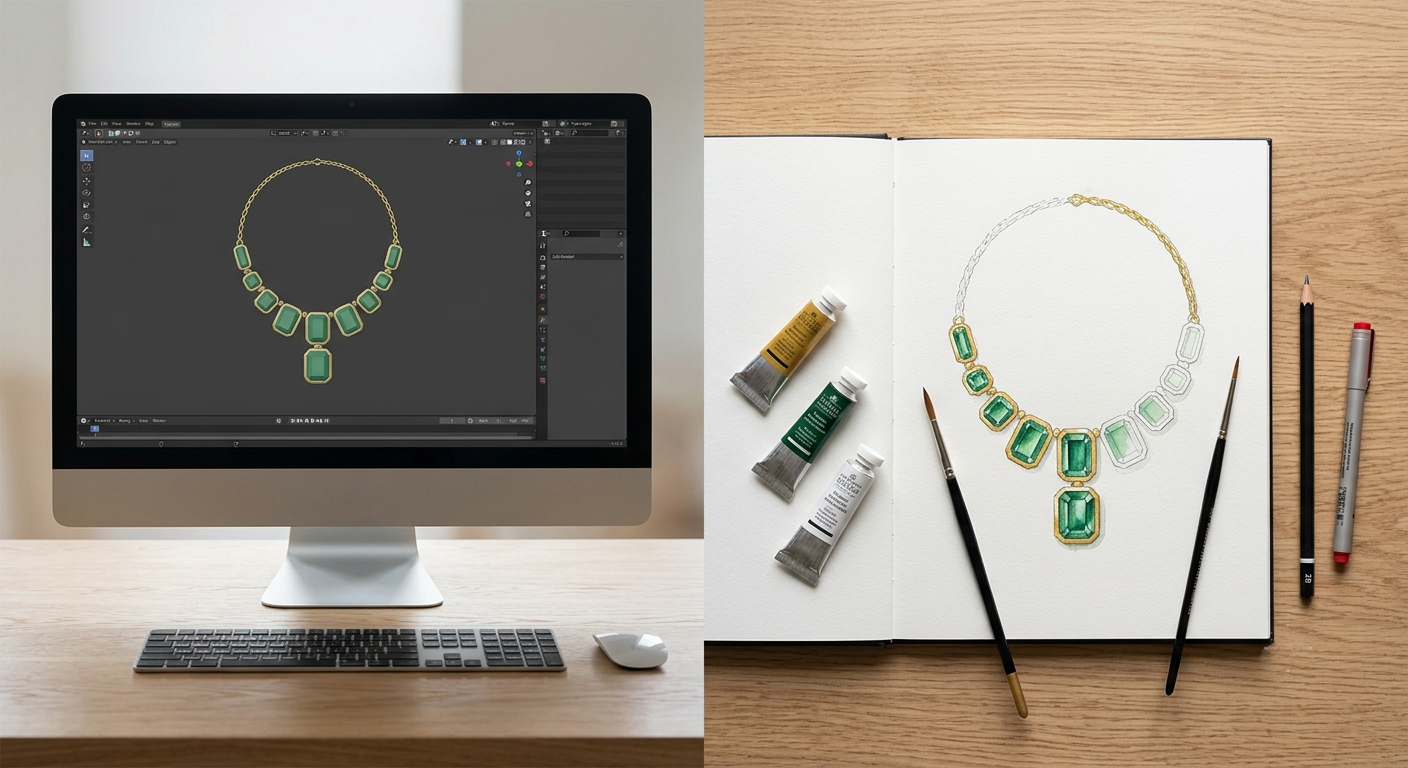
Traditional jewelry illustration rests on four techniques: gouache for opaque metal, transparent watercolor for stones, colored pencil for detail and texture, and templates worked over a toned ground. Together they are called color rendering, and a single drawing takes anywhere from a few hours to several days. The techniques are still taught, still worth learning, and no longer the only way to show a client a piece that does not exist yet.
Here is what each technique actually does, and where the digital route takes over.
Color Rendering Is Four Techniques, Not One
They are learned in roughly this order, and most students stall on the second.
Gouache for metal. Gouache is opaque watercolor. It sits on the paper instead of staining it, which is what makes it the right paint for gold and platinum: you build a metal surface by laying flat color first, then cutting into it with darker shadow and brighter highlight until the form turns. Yellow gold, rose gold, and white gold each need a different base mix, and the mix is decided before the first stroke.
Transparent watercolor for stones. Stones need the opposite behavior. A ruby reads as a ruby because light passes through it and comes back, so it is painted in transparent washes over a white or toned ground, with the paper doing the work that the pigment cannot. Mixing the two approaches is where most beginners lose the drawing, painting stones opaque and getting flat colored shapes that look like enamel.
Colored pencil for detail. Pencil handles what a brush cannot reach at scale: milgrain, engraving, the individual beads holding a pave row, the fine graduation on a bezel edge. It is also the correction layer, since it can sit over dry gouache without lifting it.
Templates and the toned ground. Classical rendering is drafted, not sketched. Stone shapes and ring profiles come from templates so proportions stay true, and the whole drawing is usually worked on gray or colored paper rather than white. The toned ground gives you a mid-value to work up and down from, which is why highlights read as light rather than as bare paper.
The sequence matters as much as the tools. Ground, then metal, then stones, then highlights last. Reverse any two steps and the drawing goes muddy.
The detail a renderer has to resolve is the same detail a colored pencil is reaching for: every bead, every milgrain notch, every facet edge
What The Mattiello And Evans Book Still Teaches Well
If you have searched this topic you have met one book, and it is worth knowing what it is before you buy it.
Techniques of Jewelry Illustration and Color Rendering was published by Du-Matt in 1995. It runs 180 pages and is credited to three authors: Adolfo Mattiello, Judith Evans, and Cy Cylkowski. It is often searched under Judith Evans alone, but she is a co-author rather than the sole author, and the other two names are on the cover with hers.
The book ships with five drafting templates: stone shapes, signet rings, ballerina rings, fancy rings, and a side-view ring template. Those templates are the reason it has lasted. The step-by-step plates teach the drafting discipline that the four techniques above depend on, and drafting has not changed since 1995 because proportion has not changed.
What has dated is the context. A 1995 manual assumes the rendering is the deliverable, the thing a client approves and a bench works from. That assumption is the part worth reading critically. The hand skills in it are sound.
It is not the only route in. L'ECOLE School of Jewelry Arts still teaches gouache as a live discipline, and its introductory class spends three hours on light alone, before color or texture enter the picture. That is a fair measure of how deep the technique goes.
Where Hand Rendering Still Wins
This is where most articles on this subject become sales copy. Hand rendering wins in four real places, and a rendering studio saying otherwise would be lying to you.
Thinking speed. A designer can put six variations on paper in the time it takes to build one accurate CAD model. Early design is about volume of ideas, not fidelity, and nothing digital is faster than a pencil at that stage.
No file, no render. Rendering needs geometry. If a design exists only in your head or on a napkin, someone has to model it first, which is a separate job with a separate fee. For a one-off that is never going into production, that cost is hard to justify. We say the same thing in more detail in the piece on when modeling is a separate job.
The drawing is an artwork. A signed gouache has value to a client that a JPG does not. High jewelry houses commission renderings that are framed, archived, and sometimes sold, and no digital file has taken that role.
It teaches you to see. Rendering metal by hand forces you to work out how light behaves on a curved reflective surface, because you have to place every highlight yourself. That understanding is what separates someone who can direct a render from someone who can only accept one. Students who learn gouache first are better at judging digital work later, and it shows immediately in their revision notes.
There is a fifth case, and it belongs to neither method: a piece that already exists in metal is usually cheaper to photograph than to model from scratch.
What Changes When The Render Is Digital
The digital argument is not that it looks better. At the top end, a master gouache and a good render are both convincing. The argument is that a model is reusable and a painting is not.
Here is the contrast that matters most, and it is one nobody selling either method tends to state plainly.
In gouache, the metal color goes in with the first wash and cannot be swapped afterwards. Rose, white, and yellow gold are three separate paintings, each started from blank paper. From one CAD file, all three come back from the same model at no extra charge.
|
|
Gouache rendering |
Digital render |
|---|---|---|
|
Time per piece |
Hours to days |
24 to 48 hours |
|
Metals shown |
One per painting |
Three from one file |
|
Revisions |
Repaint from scratch |
Two rounds included |
The rest follows from reusability. A photorealistic rendering comes back at 3000 x 3000 px or larger, which survives a zoom on a product page in a way a scanned drawing does not. Two revision rounds are included in every order, and revisions ship within 24 hours of your notes, because changing a stone or a band thickness edits the model rather than restarting the artwork. The scene is archived, so the next variant of the same design starts from something.
None of that makes the drawing worse. It makes the drawing a different deliverable, which is the honest way to put it. If you want the full definition of the digital side, we cover what jewelry rendering is separately.
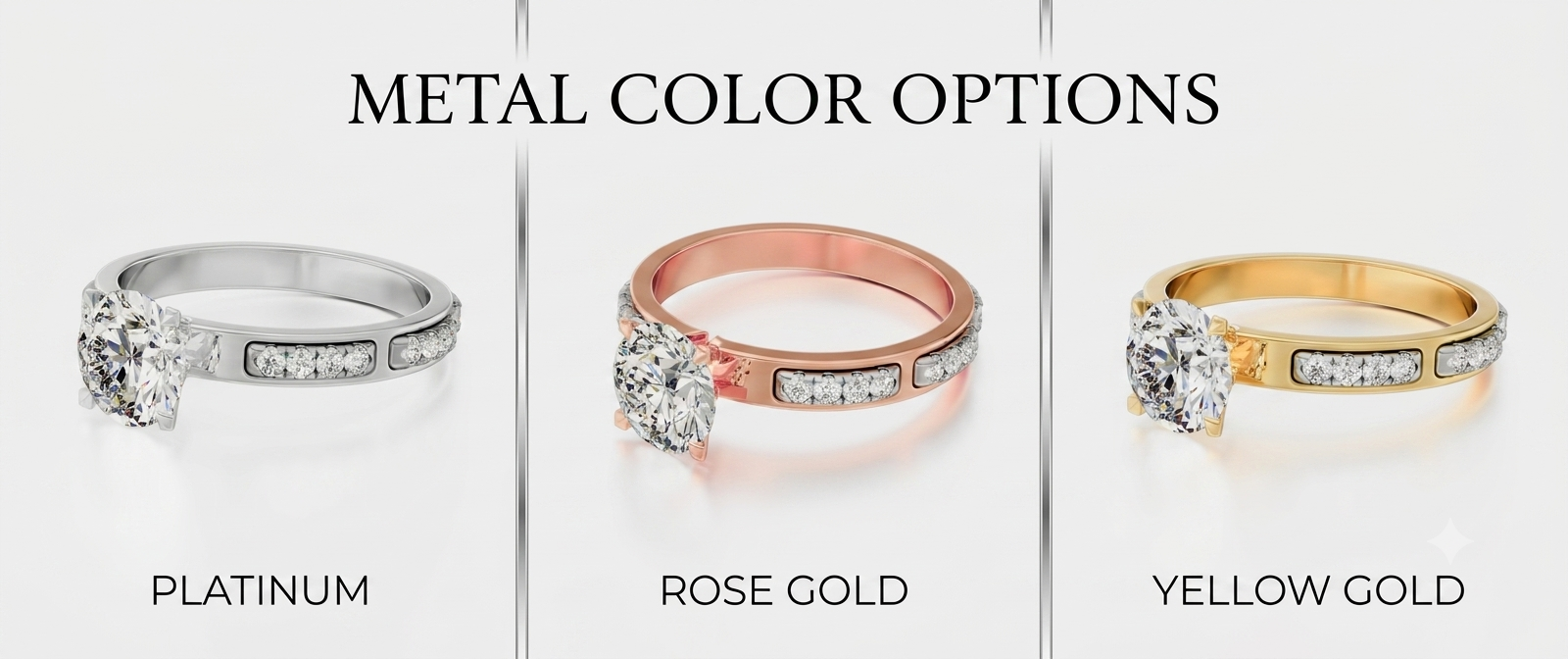
One model, three metals, one lighting setup. In gouache, this is three paintings, which will take quite a long time to complete.
How To Use Both
Learn the hand techniques in the order above, and do not skip the transparent watercolor stage just because stones are harder than metal. That order is the whole curriculum, and the drafting discipline transfers to every tool you touch afterwards.
Then be clear about which job each method is for. Sketch and render by hand when you are deciding what the piece should be, because that is a thinking problem. Go digital when the piece is decided, and the job is showing it to someone who has to buy it, because that is a production problem, and what an order includes is built for exactly that. If you want to see whether the digital version holds up against your own drawing, send one file and compare them: any studio confident in its work will turn a CAD file into a render once to prove it.
Curious how this works in practice? See the process, browse the portfolio, check pricing, or see every service we run.