How to Use 3D Renders & Animation for Jewelry Social Media & Instagram Reels
Learn how jewelry brands can use 3D renders, 360° animations, product visuals, and Instagram Reels to create engaging social media content without relying entirely on product photography.

3D renders for jewelry social media solve the volume problem because one CAD file produces a matched set of images and videos that can be cropped and cut for every placement on the calendar. At 3D Jewelry Model, one file comes back as 9 HD images and 3 videos across rose, white, and yellow gold, and that set stretches to roughly three dozen posts, Stories, and ad variants without another shoot. Renders cover the product side of a social calendar. People, process, and community still need a camera.
That is the short answer. The rest of this post is the arithmetic, the sizes, and the plan.
Why 3D Renders Fix The Jewelry Content Treadmill
A jewelry feed eats product content faster than a photoshoot can make it. Reels want vertical video, the feed wants 4:5 stills, ads want variants to test, and every new piece needs all of it again. With photography, each of those starts with a physical piece: cast, set, polished, and shipped to a studio. A piece that has not been cast yet cannot appear at all.
Rendering moves the bottleneck. The piece only has to exist as a CAD file, so a collection can be on the calendar before the first casting. Metal is a material setting rather than a second piece, so three golds come from one model. And the scene is archived, so a reorder months later, for a holiday background or a new angle, starts from the same setup rather than from scratch.
The video side works the same way. A 360 spin is rendered frame by frame from the same model as the stills, so the Reel and the feed post show the same stone, the same prongs, and the same metal color. If you want the production detail, here is how jewelry animations are made. For a calendar, the point is simpler: product content stops depending on when samples arrive.
One CAD File, 36 Social Assets
Here is what one order turns into when a social team works from the delivered files. These are crops and cuts your team makes, not 36 separate renders.
|
Delivered |
Cut into |
Count |
|---|---|---|
|
9 HD stills (3 per gold) |
Square feed post, 4:5 feed crop, 9:16 Story frame |
27 |
|
3 videos (one per gold) |
Full Reel, short ad cut, Story loop |
9 |
|
Total from one file |
|
36 |
At $15 per CAD file (a launch offer, regular $30), that is under 50 cents per asset. A 10-piece collection is 10 files, $150, and 360 assets. Larger catalogs are what jewelry catalog rendering is built for, and the same arithmetic holds per file.
Two practical notes before you count on that number. First, the 9 stills are three images in each of three golds, so the content is repetitive by design. Spread it across weeks, and use the metal change as the variety. Second, the transparent PNG matters more than it looks. It lets a designer drop the piece onto a seasonal color, a launch graphic, or a text card, so one render serves several campaigns.
What Size Each Placement Wants
Reels and Stories are vertical, and our stills are square. That gap is manageable if you plan for it before anything renders.
|
Placement |
Ratio |
Meta's recommended size |
Cut from |
|---|---|---|---|
|
Instagram Reels |
9:16 |
1440 x 2560 px |
Video, framed vertical |
|
Instagram Stories |
9:16 |
1440 x 2560 px |
Video or still |
|
Instagram feed image |
4:5 |
1440 x 1800 px |
Still |
Sources: Meta's specs for Instagram Reels, Instagram Stories, and Instagram feed images, checked October 2026.
A 3000 x 3000 px still cropped to 4:5 is 2400 x 3000, and cropped to 9:16 it is about 1688 x 3000. Both are clear Meta's recommended sizes, so resolution is not the problem. Composition is. A vertical crop removes the sides of the frame, and a ring shot at three-quarter view can lose the end of its shank. Meta also asks you to keep 14 percent of the top, 35 percent of the bottom, and 6 percent of each side clear of anything important, because the interface covers them.
So say where the files are going when you order. For jewelry rendering for Instagram Reels, ask for the video framed vertically from the start, with the piece centered and room around it. Reframing an archived scene is a re-render. Cropping cannot recover a stone that was cut off at the edge.
TikTok is a vertical feed as well, so the same 9:16 master usually serves it. Check the current spec in TikTok Ads Manager before you upload, because the limits change.
3D Jewelry Formats That Earn Their Slot On The Feed
We are not going to quote you an engagement rate. Figures circulate, but they come from other accounts, other audiences, and other price points. What we can tell you is which formats a render set supplies, which ones need extra work, and why each one holds attention.
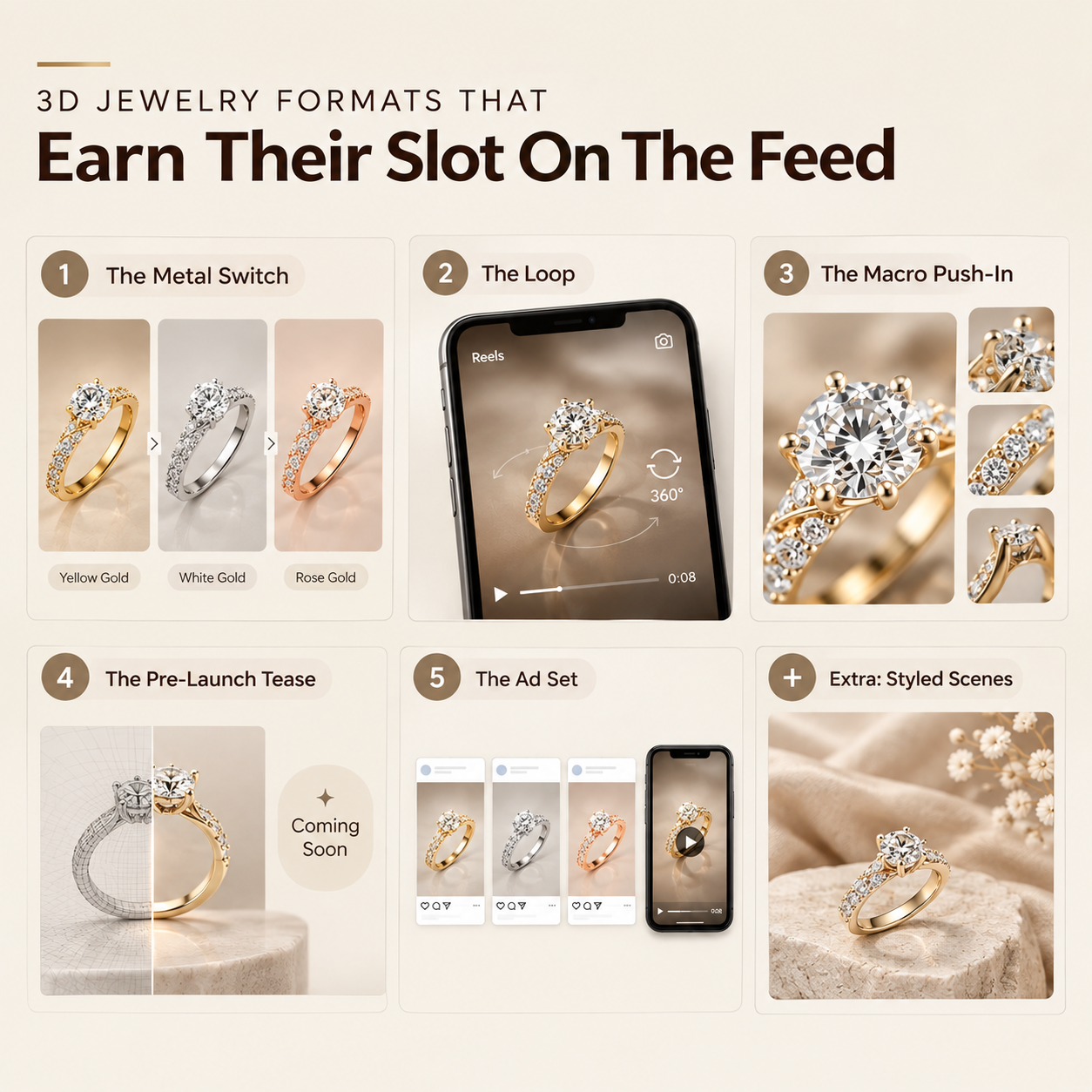
The metal switch. One piece, one angle, three golds in sequence. As a carousel, it is three slides, as a Reel, it is three cuts. It answers "does this come in white gold?" before anyone has to ask.
The loop. A 360 spin's last frame meets its first, so it repeats without a visible cut. On a Reel or a Story, a loop keeps playing, and the stone keeps catching light every time it comes around.
The macro push-in. The camera closes in on the center stone, the prongs, or a pave band. This one is not in the standard order, whose three videos are 360 spins. It is a separate shot with its own quote. This is where render quality shows fastest, in both directions, so look at recent renders before committing a whole campaign to it.
The pre-launch tease. The piece shown before it exists in metal. Renders make this possible because nothing has to be cast, and a launch can be teased for weeks while production runs.
The ad set. Paid social wants several versions of one idea to test against each other. One file gives you three metals, with three images and a video for each, and photorealistic renders hold up at the size a feed ad is viewed.
Formats that need more than the standard order: styled scenes with props, fabric, or water. Each scene is built by hand once, so it costs more. Save it for the hero piece of a launch, not every listing.
Where 3D Renders Sit In A Social Media Marketing Plan
A workable social media marketing plan for a jewelry brand splits the calendar by what each post has to do. Product posts show what the piece is. Brand posts show who makes it and who wears it. Renders belong in the first group, and a camera belongs in the second.
A simple weekly rhythm that a render order can feed:
- Two product posts. A metal-switch carousel and a 4:5 still, both from renders.
- One Reel. A vertical spin, from the render videos.
- One people post. A worn shot, a customer photo, or a bench video, from a camera.
- Stories in between. Render loops for new pieces, phone video for everything else.
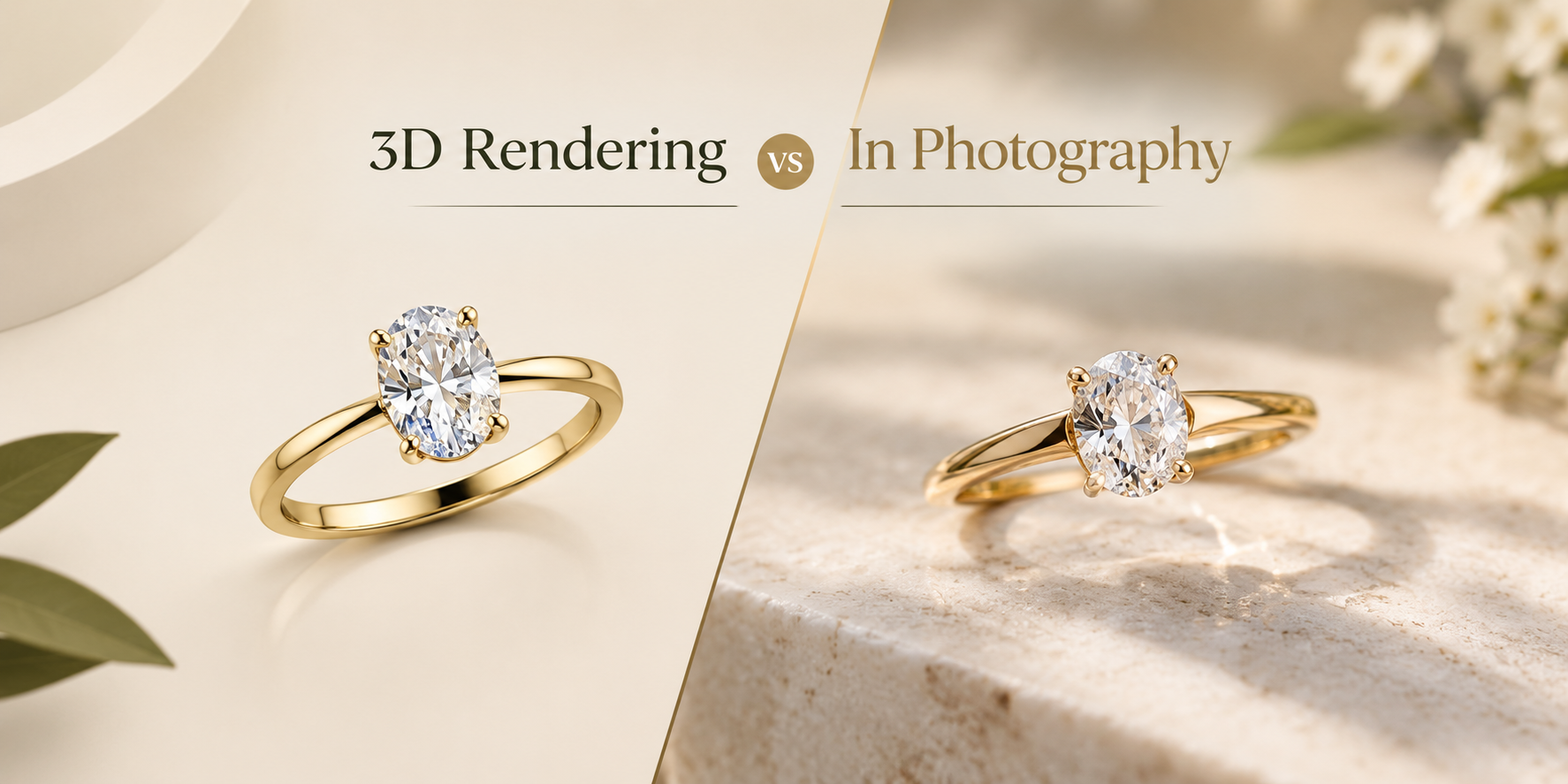
The split mirrors how rendering compares with photography for product images in general. Product content scales with the catalog, so it goes digital. Brand content scales with the people behind it, so it stays human.
If you hire social media marketing services rather than running the account in house, give the agency the full render set: every image format, the transparent PNGs, and all three videos. Tell them the files exist before they plan a shoot. We render, and we do not run social accounts, so the agency owns the calendar and we supply the product side of it.
Where Renders Are The Wrong Content
A feed made only of renders reads as a catalog. It may be accurate and well lit, and it still gives a follower no reason to care who made the piece. Four cases call for a camera instead.
Anything worn. On-hand, on-ear, and on-neck content is the core of jewelry social, and rendering skin convincingly costs more than photographing a person. Book a shoot for it.
Behind the scenes. Setting a stone, polishing a band, sketching a design. This is the content that builds a following, and it only exists if someone films it.
Existing one-off pieces. An estate piece or a handmade one-off has no CAD file. Modeling it only to render it usually costs more than photographing it.
Hand engraving and hammered texture. Both can be rendered. Capturing their exact character takes modeling time that a phone camera gets for free.
Cheap renders are a fifth case. Plasticky metal and stones that glow instead of sparkle are obvious on a phone screen, and a Reel shows the flaw on every rotation. A bad render on a brand's feed costs more than no post.
Questions about How to Use 3D Renders & Animation for Jewelry Social Media & Instagram Reels
Can 3D renders be used on Instagram Reels?
Yes. A rendered spin exports as a normal video file. Ask for vertical 9:16 framing before the scene renders, because cropping a square video to vertical cuts off the sides of the piece.
How many posts does one render order make?
One CAD file returns 9 HD images and 3 videos. Cropped and cut for feed, Stories, Reels, and ads, that is about 36 social assets. The stills repeat by design, so spread them across several weeks.
Will followers know the images are renders?
A good render is hard to tell from a photograph. Do not present one as a photo of a piece in stock if it has not been made yet. Say "coming soon" or "made to order", and make sure the piece that ships matches the render.
Do renders work for TikTok?
The same 9:16 vertical master works for TikTok's feed. Check TikTok Ads Manager for current limits before you upload paid content.
Can our social media marketing agency use the files?
Yes. You own your design and receive every image and video format, including transparent PNGs and layered TIFFs. White-label delivery is available. The render scene files stay with us.
Can you render the jewelry on a model or a hand?
We do not recommend it. Skin is the hardest thing to render convincingly, and it costs more than photographing a person. Use renders for the piece and a camera for the person.
Curious how this works in practice? See the process, browse the portfolio, check pricing, or see every service we run.