3D Jewelry Design Explained: What the CAD File Holds
A 3D jewelry model is shape and dimension, and nothing else. Every part of the look, the metal color, the fire in the stones, the light, gets added after the design is finished.
.png)
3D jewelry design is the process of building a piece as measured 3D geometry before any metal is cut. The file that comes out of it holds shape and dimension and nothing else: no metal color, no stone fire, no lighting. Those get added later, in rendering, which is a separate stage and usually a separate purchase.
Here is what each stage puts in, and what it leaves out.
What A 3D Jewelry Model Actually Contains
A jewelry 3D model is a description of surfaces. Nothing more.
It knows exactly how wide the shank runs at the back and how it thickens at the shoulders. It knows where every stone seat sits, how deep each one is cut, and which way a prong leans. It is accurate enough that a caster or a printer can make the piece from it, which is the entire point of building it that way. Rhino, one of the packages this trade models in, makes the same case for its own output: the geometry comes out accurate enough to cast and 3D print from.
What it does not contain is anything about how the piece looks.
There is no gold in the file. There is no diamond in the file. A wireframe model of a halo ring and a wireframe model of the same ring in platinum are the same file, because metal is not geometry. Open a raw CAD file, and you get the gray plastic look everyone recognizes: flat, matte, evenly lit, dead. That appearance is not a rendering problem or a quality problem. It is the absence of the four things nobody has added yet, which are material, light, camera, and the calculation that puts them together.
This is the part that surprises brands most often. They approve a model, they see the gray version, and they assume something has gone wrong.
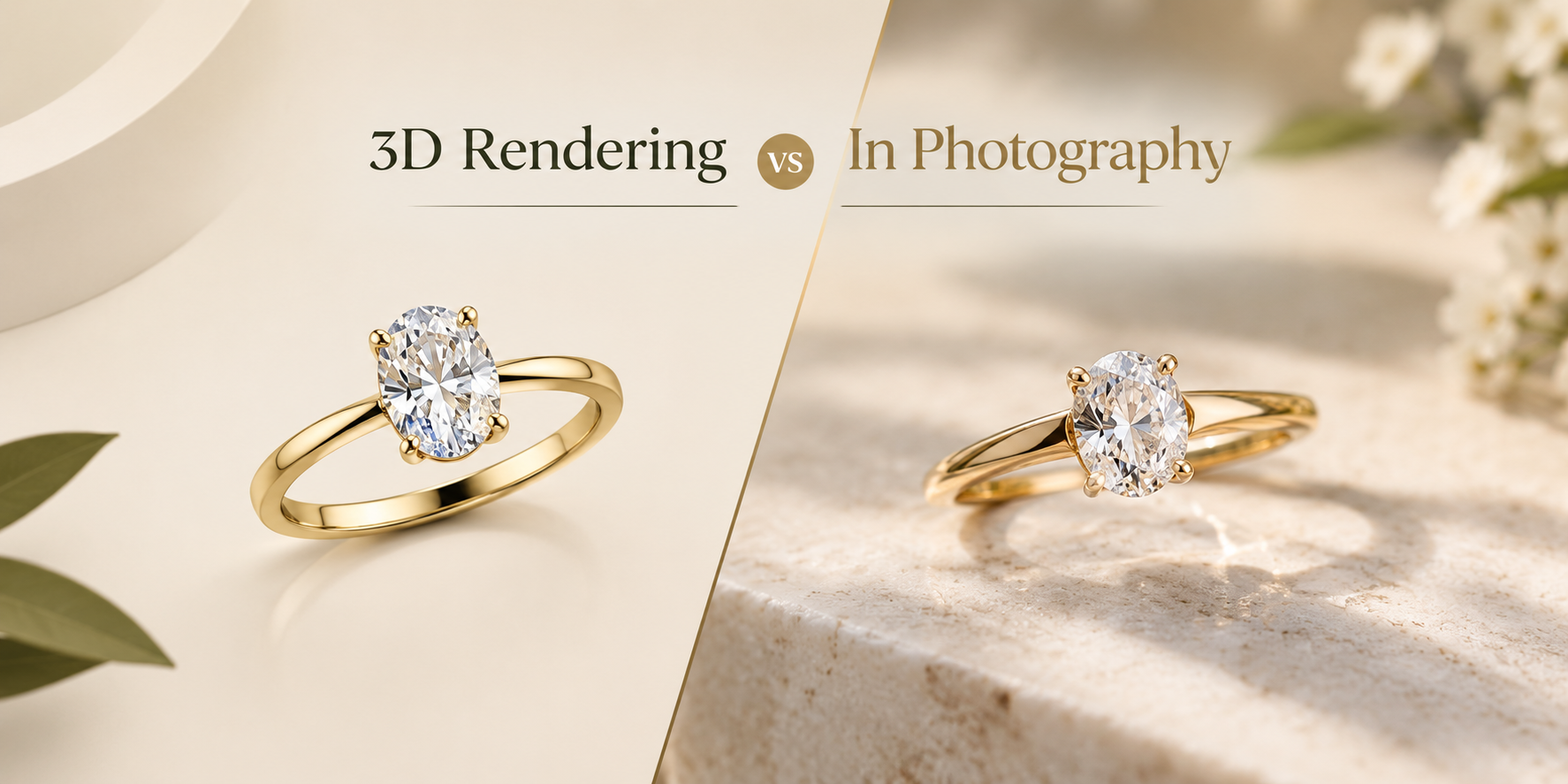
One design, rendered twice. Nothing was reshaped between the two, and every difference you can see was added after the model was finished.
The Four Stages, From Concept To Finished Image
Four stages sit between an idea and an image you can put on a product page. Most brands only ever see the first and the last.
Concept. A sketch, a reference photo, a competitor's piece, a verbal description. The loosest stage, and the one where the fewest decisions are locked. Nothing here is measured.
The model. The concept becomes measured geometry. Every dimension the piece will ever have is decided here, which makes this the stage where changes are cheap and the stage after which they stop being cheap. This is 3D jewelry design proper.
Materials and lighting. Metal gets assigned, stones get their optical behavior, and a lighting setup gets built around the piece. Nothing is reshaped at this stage.
The render. The software calculates how light would travel through that scene and returns an image.
|
Stage |
What it adds |
What it still lacks |
|---|---|---|
|
Concept |
Intent, proportion, references |
Every measurement |
|
The model |
Exact geometry, stone seats, tolerances |
Color, material, light |
|
Materials and lighting |
Metal, stone behavior, a lit scene |
The finished image |
|
The render |
The image itself |
Nothing, if the model was right |
The last three stages are where the trade splits into two purchases. Building the model is one job and producing images from it is another, and which of the two jobs you are buying depends entirely on what you already have. If you want the render half in detail, the five stages from CAD file to finished image walk through it properly. At this studio, that half takes 24 to 48 hours.
Why A CAD File Alone Will Not Sell The Piece
Because a product page needs an image, and a CAD file is not one.

The file is a manufacturing document. It is the right thing to send a caster and the wrong thing to send a customer, and no amount of exporting changes that. A screenshot of a model in the software window is still the gray object, now compressed. Marketplaces sell downloadable 3D jewelry models by the thousand, and those files are built to be printed rather than photographed. A file can be perfectly good for one and useless for the other.
What rendering adds is everything a camera would have supplied if the piece existed: the way yellow gold goes warm in a reflection and cold at a grazing angle, the way a round brilliant throws colored light rather than glowing, the shadow under the shank that tells the eye the piece has weight.
That is the output 3D jewelry rendering exists to produce. One CAD file comes back as 9 HD images and 3 videos across rose, white, and yellow gold for $15, at 3000 x 3000 px or larger so the images survive a zoom. The three metals come from one model because metal is a material assignment, not a second design job.
None of this is in the model. The warmth in the metal and the colored flashes inside the stones are material and light, added after the geometry was signed off.
Where 3D Jewelry Design Is The Wrong Tool
Three cases, and the studio turns work away on all three.
The piece already exists in metal. If you can put it on a table, modeling it purely so it can be rendered usually costs more than photographing it. Across more than 12,000 renders, that has stayed the one case where the honest answer is to send the work elsewhere.
Hand engraving and hammered texture. Both can be modeled, and both can be rendered. Capturing their exact character takes modeling time a camera gets for free, because a camera is not approximating the surface. It is recording it.
Anything worn on a person. Rendering skin convincingly costs more than photographing a human. For on-body and campaign images, book a photographer.
There is a fourth case that is less a limitation than a warning.
Geometry that was never right. A render does not hide a mistake in the model. It enlarges it. A prong that does not quite reach the stone, a seat that was never properly cut, a shank that pinches where it should not: all of it arrives at 3000 x 3000 px under studio lighting. Photography of a cast piece forgives some of that, because the metal is real and the light is real and both are slightly forgiving. A render forgives none of it, because every surface is exactly what the model said it was. That is why every render leaves here reviewed by someone with jewelry bench experience, which is the last point at which a piece that could not actually be made in metal gets noticed.
How To Brief A CAD-To-Render Project
Most 3D jewelry design projects go wrong at the handover rather than in the modeling. Four things prevent it, and all four are decided before anyone opens your file.
- Say what the images are for. A white-background listing image, a print hero, and a social crop are different camera and lighting setups. Naming the use decides them.
- Count the stones before you ask for a price. A solitaire and a 240-stone pave cuff can look like comparable drawings and are nothing alike to build or to render. Heavy pave adds 20 to 40 percent.
- Have whoever built the file export it. A clean export renders at the base price. A broken one needs repair time before anyone can light it, and pulling a file off a drive yourself is where most broken exports come from.
- Send one design per file. One file means one design. A matched pair of earrings is one file, not two.
Then approve the geometry carefully and the images quickly, which is the opposite of what most brands do. Two revision rounds are included at every price point and revisions ship within 24 hours of your notes, but revisions move cameras and materials. They do not rebuild a shank.
Send one file and look at what comes back. We render one CAD file at full quality as a free sample render, with no payment details asked. Ask the same of anyone else you are considering, because a studio confident in its output will render one piece to prove it.
Questions about 3D Jewelry Design Explained: What the CAD File Holds
Is a 3D jewelry model the same as a render?
No. The model is the geometry, and the render is an image produced from it. One file can produce hundreds of renders, in any metal, from any angle, and the model never changes.
Can I use a 3D jewelry model on my product page?
Not directly. The file has no color, no material, and no lighting, so there is nothing to display. It has to be rendered first, and the render is what goes on the page.
Do I need a CAD file before anything can be rendered?
Yes, something has to exist as geometry. If you only have a sketch or a photo, the model gets built first for an added fee, and it is rendered after you approve it. Files already accepted here are 3DM (from Rhino and Matrix), STL, OBJ, and STEP.
Can rendering fix a mistake in the model?
No, and it will show the mistake more clearly than a photograph would. Geometry problems get solved in the model, which is why the approval that matters most is the one on the model rather than the one on the images.
Curious how this works in practice? See the process, browse the portfolio, check pricing, or see every service we run.